Recycle old JetBackup backups (step 7)
Step 7 of Bring from JetBackup: deletes from the storage the backups JetBackup made before Salvo took over, once they are past the job's retention.
● available in 0.4.149 Requires the job taken over (step 6).
Why it exists
JetBackup applies its retention only when the job runs. A job taken over by Salvo is turned off in JetBackup and does not run anymore, so changing the retention there deletes nothing: without this step, JetBackup's old backups would stay in the storage forever.
The rules
- Only backups of a job taken over by Salvo, and only of accounts with a good backup in Salvo.
- A locked backup never goes.
- It counts by age, not by quantity: each backup expires on its date + retention × period (daily 1 day, weekly 7 days, monthly 30 days). With more than one kind of schedule, the longest one counts.
On the screen
Server › Maintenance › section JetBackup › Recycle old JetBackup backups.
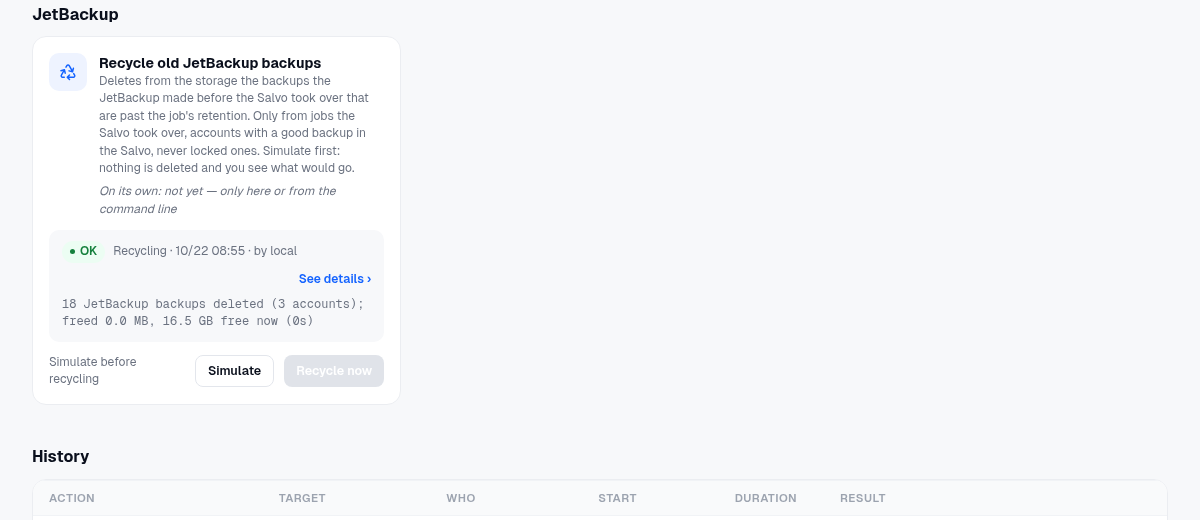
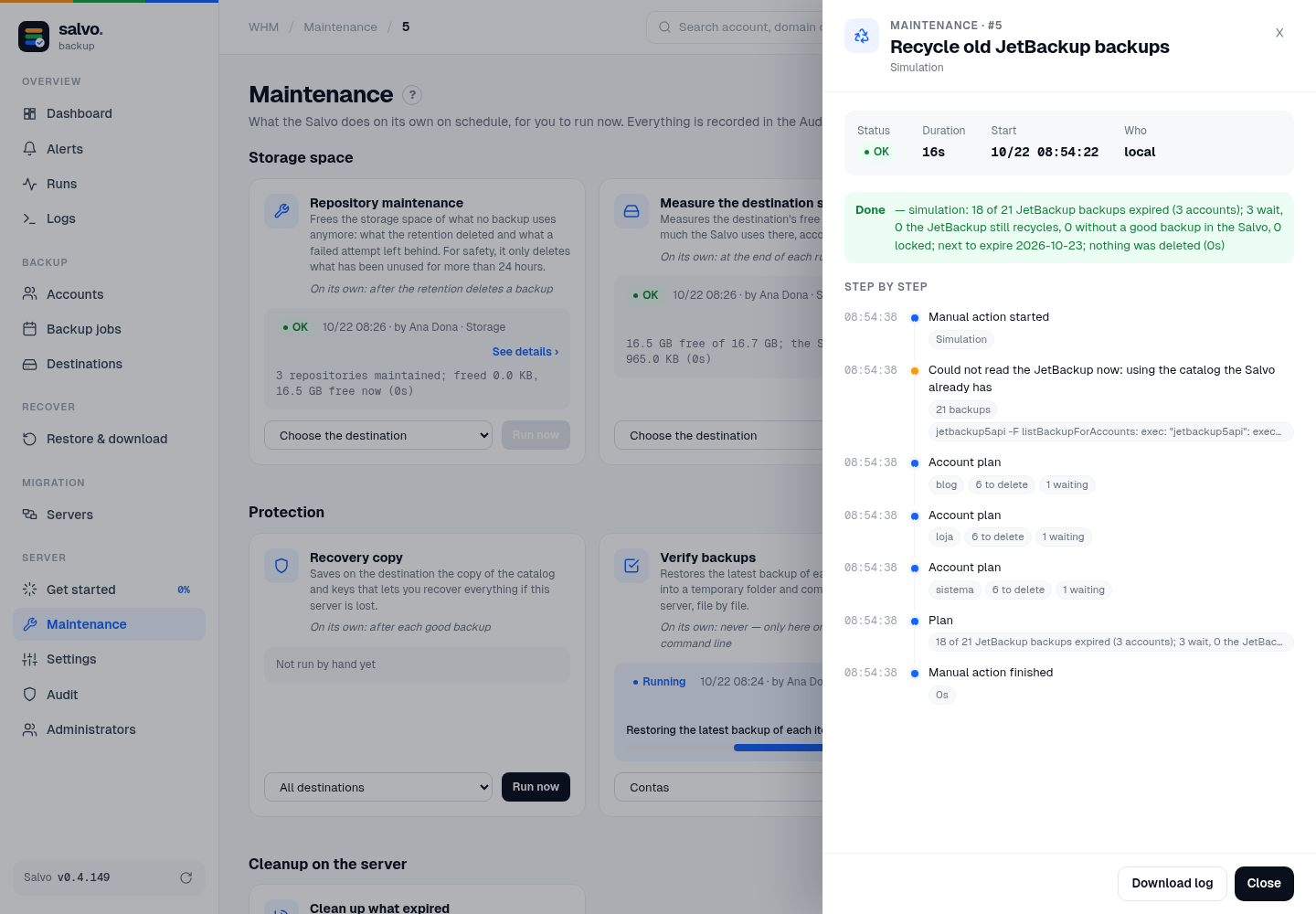
1. Simulate deletes nothing. It reads JetBackup's catalog and current retention (if JetBackup is no longer installed, it uses the copy Salvo has) and shows, account by account, how many backups would go, how many wait, and the next expiry.
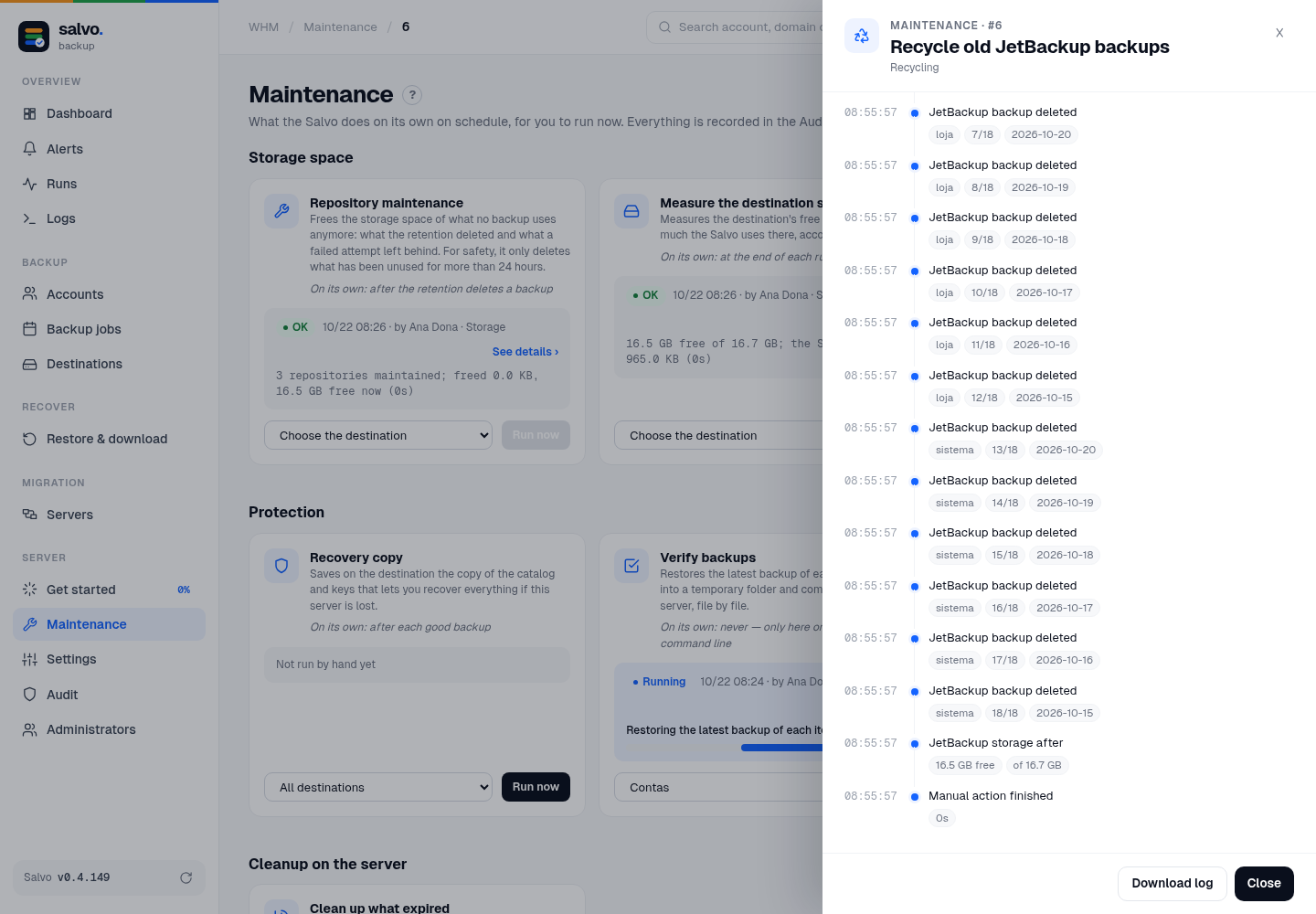
2. Recycle now (the button shows how many): only after a good simulation in the last 24 hours, and each
simulation is good for one recycling. It asks for a confirmation and the app code whenever there are
administrators, even with ask for the code again turned off. It deletes each expired snap.N folder, with the
progress account by account, and measures the free space of JetBackup's storage before and after.
On the command line
# simulate (deletes nothing)
/var/lib/salvo/salvo maintenance-run --action jb-recycle
# recycle (needs a simulation in the last 24 h)
/var/lib/salvo/salvo maintenance-run --action jb-recycle --apply
To delete, Salvo needs the destination that reads JetBackup's storage. If there is none, the message says to import only the destinations:
/var/lib/salvo/salvo jb-import --only-destinations --trust-host-keys --apply
--trust-host-keys fetches each storage's SSH key and prints its fingerprint: compare it with the right one (why and how to get it).