Maintenance
What Salvo does on its own on schedule, for you to run now: free storage space, apply the retention, measure a destination, write the recovery copy, verify backups, clean up what expired. Every run is recorded in the Audit.
● available in 0.4.144 ● run window: 0.4.146 cPanel and DirectAdmin.
On the screen
Server › Maintenance. Each action shows what it does, when it runs on its own, its last run (who, when, result) and Run now. While it runs, the card shows Running and refreshes every 4 seconds; the same action on the same target never runs twice at the same time.
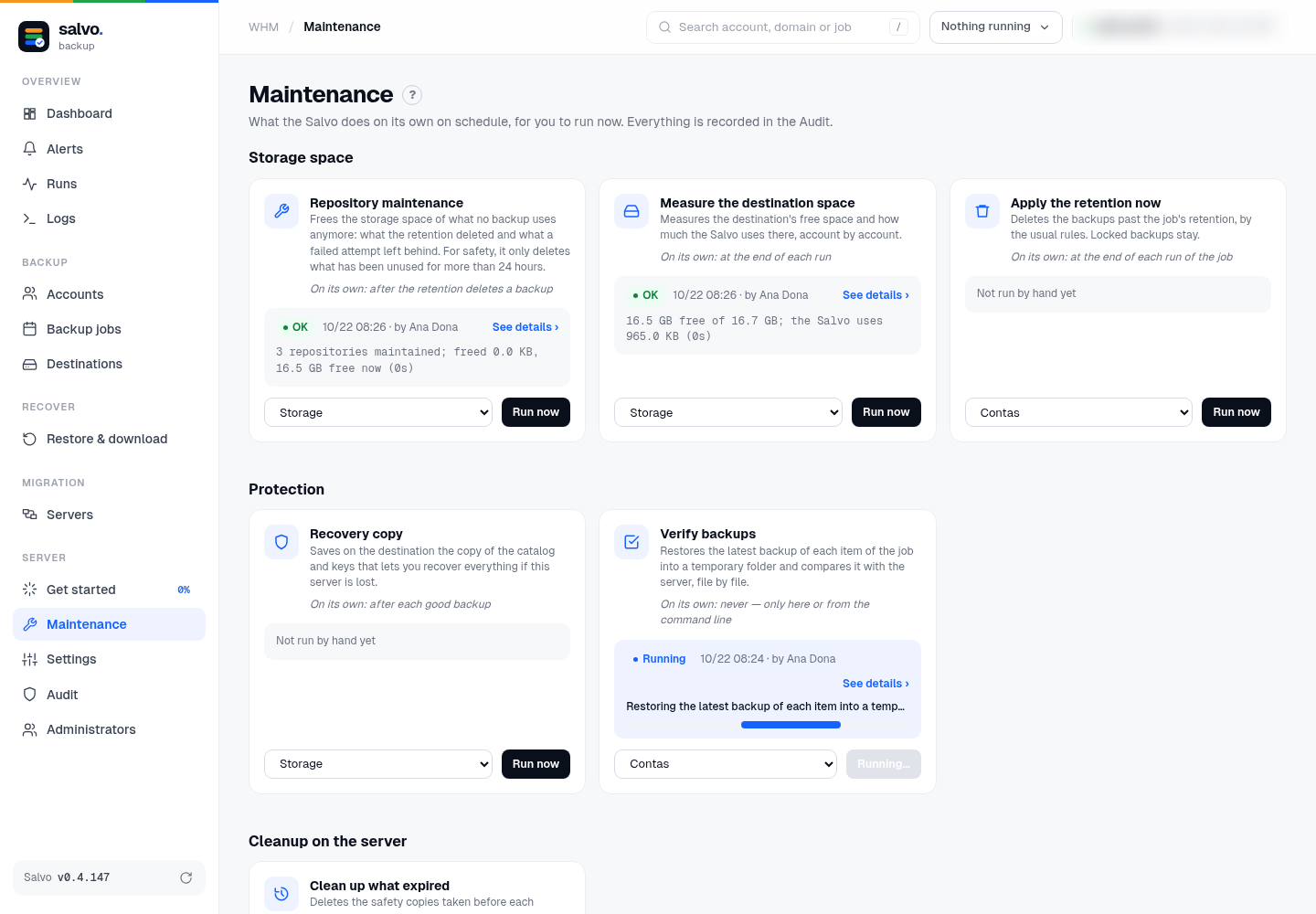
| Action | Target | What it does | On its own |
|---|---|---|---|
| Repository maintenance | destination | frees the storage space of what no backup uses anymore: what the retention deleted and what a failed attempt left behind; measures before and after and says how much it freed | after the retention deletes a backup |
| Measure the destination space | destination | the destination's free space and how much Salvo uses there, account by account; on a destination that has not received a backup yet, it measures the disk where the folder will be (Salvo uses 0) | at the end of each run |
| Apply the retention now | job | deletes the backups past the job's retention | at the end of each run of the job |
| Recovery copy | destination, or all | saves on the destination the copy of the catalog and keys that lets you recover a server | after each good backup |
| Verify backups | job | restores the latest backup of each item into a temporary folder and compares it with the server, file by file | never: only here or from the command line |
| Recycle old JetBackup backups (section JetBackup) | — | step 7 of Bring from JetBackup: simulate, then recycle; see Recycle | never: only here or from the command line |
| Clean up what expired | — | deletes the safety copies taken before each restore and the restored folders whose deadline has passed | every minute, by the scheduler |
The run window
Run now opens the run in a side window, which refreshes every 1.5 seconds while it runs:
- Status, time running (live), Start and Who;
- a progress bar: with a count when the action has steps (repository maintenance: 2 of 3, with the account), or moving while it measures or restores. In that case the window says This step has no count: the bar shows it is running. The steps appear below as they finish. (0.4.148);
- Step by step: each line with its time and details in seals (account, step, time, free space before and after);
- at the end, the result highlighted, and Download log.


The same window also opens from See details on each card's last run, from the History list (the last 20 runs,
of every action) and from the address #/manutencao/<number>, a link you can send to someone.
- 24 hours: repository maintenance only deletes what has been unused for more than 24 hours (a backup in progress never loses anything). Right after a failure, it may not free anything yet.
- Retention: the manual retention follows the same rules as the job's; locked backups stay.
- App code: with ask for the code again on sensitive actions turned on, each action asks for the app code (the retention and the repository maintenance delete data).
On the command line
# the actions and the last run of each one
/var/lib/salvo/salvo maintenance
# run one now
/var/lib/salvo/salvo maintenance-run --action repository --destination ID
/var/lib/salvo/salvo maintenance-run --action measure --destination ID
/var/lib/salvo/salvo maintenance-run --action retention --job ID
/var/lib/salvo/salvo maintenance-run --action recovery-copy
/var/lib/salvo/salvo maintenance-run --action verify --job ID
/var/lib/salvo/salvo maintenance-run --action expire
# JetBackup: simulate, then recycle (see Recycle)
/var/lib/salvo/salvo maintenance-run --action jb-recycle
recovery-copy without --destination writes to every destination. API: GET /api/maintenance and
POST /api/maintenance/{action} with {"destination": ID} or {"job": ID}; a run's progress and log in
GET /api/maintenance/runs/{id} (after=N brings only the new lines) and GET /api/maintenance/runs/{id}/log.txt.
The log is also in /var/lib/salvo/logs/maintenance-<id>.jsonl.